Microsoft Exchange 2013 CU1 offline help files

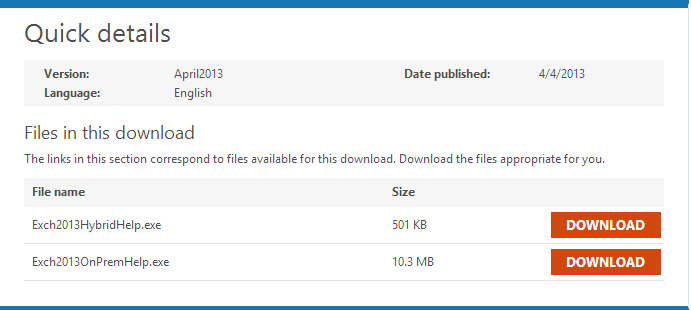
With CU1 for Microsoft Exchange 2013,  Microsoft released offline help files for Exchange 2013 CU1.

Files are available as offline, so you can view them without any problems, without access to the Internet.
You can download the files from the website:

Microsoft Exchange Server 2013 Help


Exchange2013CU1_HelpFiles


Files are divided into two distributions of Microsoft Exchange 2013:


Distribution Groups nested – get list only groups

Recently, we described how to obtain a list of all mailboxes in the group that has nested distribution groups.

Unfortunately, using this method, you can not get a list of groups in a distribution group, only users (mailboxes).

To obtain this list, you need to write more or less complicated powershell script or use the additive Quest Powershell Module for Active Directory.


After installation of Quest Module, run powershell console and run:

add-PSSnapin quest.activeroles.admanagement

Continue reading

Get distribution group all members – nested

How can we get a list of mailboxes belonging to a distribution group?
In a simple way, by using the EMC console and check who is a member of a group, or by using powershell EMS console and use the command:

Get-DistributionGroupMember Test_Group


In this way we get a list of objects in the group, both mailboxes, contacts, and other groups.

And here there is a problem, because if the distribution group includes the next distribution group, and this again next etc, how can we get a list of all people who receive an email after sending a message to a distribution group?

Unfortunately, using only the Get-DistributionGroupMember we won’t get such information.

This command returns only the objects directly in a group, without nesting.

In this case, we have to use PowerShell commands for Active Directory available.

To do this run EMS console and import the Active Directory module command as follows:

import-module ActiveDirectory

Continue reading

Exchange 2013 CU1 released KB2816900

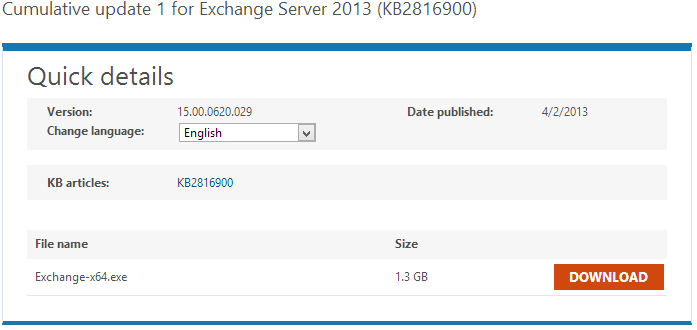
Today 04/02/2013 Microsoft released CU1 for Microsoft Exchange 2013

Cumulative Update 1 for Microsoft Exchange 2013 can be downloaded here:

Exchange 2013 CU1 Download


Ex2013CU1

Description of Cumulative Update 1 for Exchange Server 2013

CU1 for Microsoft Exchange 2013 is the last step for Exchange 2013 and Exchange 2010 SP3 coexistence.


Continue reading

Recoverable Items Audits, CalendarVersionStoreDisabled, Versions, Deletions and other problems

When we have problems with TotalDeletedItemsSize (too large) we should check all items in Recoverable Items folder and subfolders.

To do this we should use following command:

Get-MailboxFolderStatistics -Identity JSmith -FolderScope RecoverableItems | Format-Table Name,FolderPath,ItemsInFolder,FolderAndSubfolderSize


As a result we will get list of all Recoverable Items subfolders and information how much space they use.

RecoverableItems


How to remove all items from Deletions we wrote in article:

 Exchange 2010 Database size growing problem


In general, type the following command and Recoverable Items folder size should be significantly reduced:

Search-Mailbox -Identity JSmith -SearchDumpsterOnly -DeleteContent

Microsoft Exchange 2013 CU1 delayed

What we need for coexistence Microsoft Exchange 2013 and Microsoft Exchange 2010 SP3 ?

CU1 for Microsoft Exchange 2013.

As Microsoft announced before, it should be available in Q1 of 2013.

Unfortunalely CU1 for Microsoft Exchange 2013 is delayed and now as we can read at Exchange Team Blog, CU1 is currently planned for April 2nd.

As the Exchange Team Blog indicated, they need time to improve functionality coexistence with Microsoft Exchange 2010.

This is a little disappointing, that CU1 has problems with coexistence with Exchange 2010, because this should be main feature which we need.

So now when we see how “good” were latest Rollups for Microsoft Exchange 2010, maybe we should be fear CU1 and new features which it will bring.


Microsoft Exchange 2013 Deployment and Coexistence – video webcast IgnITe

Ignige Website, presents new webcast about Exchange 2013 deployment, and coexistence.

From webcast you can learn how to setup an Exchange Server 2013 on-premises deployment with coexistence amongst Exchange 2007 and Exchange 2010. In addition to understanding how Exchange Server 2013 architectural changes enable more flexible network designs, we will discuss tips and best practices for a smooth transition to Exchange Server 2013.

Webcast takes about 50 minutes.

Continue reading

Exchange 2010 list connections to OWA

If you want to get to know how your users are using OWA to connect to mailboxes you can use following two solutions.

In any environment where Microsoft Exchange OWA service is enabled for user mailboxes, we can check how many users actually use OWA access through their mailboxes.

The first solution presents how to check the number of current connections to the mailbox using OWA.

For this purpose, we need to run this script by calling the Get-CASActiveUsers for all servers that provide OWA connections, so mostly for all CAS servers.


Following script will list all current connections to OWA and RPC on CAS servers:


Continue reading

Microsoft Outlook Configuration Analyzer Tool 2.0 only in OffCAT

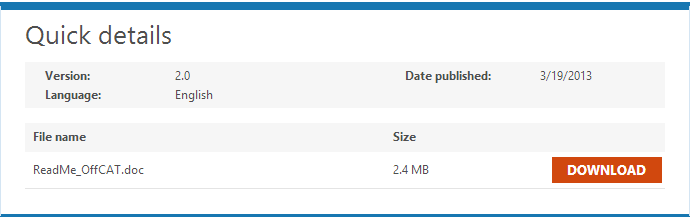
Yesterday Microsoft announced that Microsoft Outlook Configuration Analyzer Tool 2.0 will be replaced by tool OffCAT.

The OffCAT tool provides all of the same functionality as the OCAT tool, but it also allows you to scan more Office programs (Access, Excel, Outlook, PowerPoint, and Word)


Microsoft Outlook Configuration Analyzer Tool 2.0 (OCAT)


OCAT


New tool you can download here:

Continue reading

Exchange 2010 Service Pack 3 OWA and Outlook Anywhere error HTTP 440 – 440 response was received from Unknown

After installation of Service Pack 3 for Microsoft Exchange 2010 some of you can expirience problem with remote connectivity to Microsoft Exchange.

When you run OWA or Outlook Anywhere you can get error like below:

HTTP 440 – 440 response was received from Unknown


You will see this problem on CAS servers where you have enabled HTTP Redirection in IIS on Exchange web sub directories like:

  • OWA,
  • RPC,
  • EWS,
  • Autodiscover

Continue reading